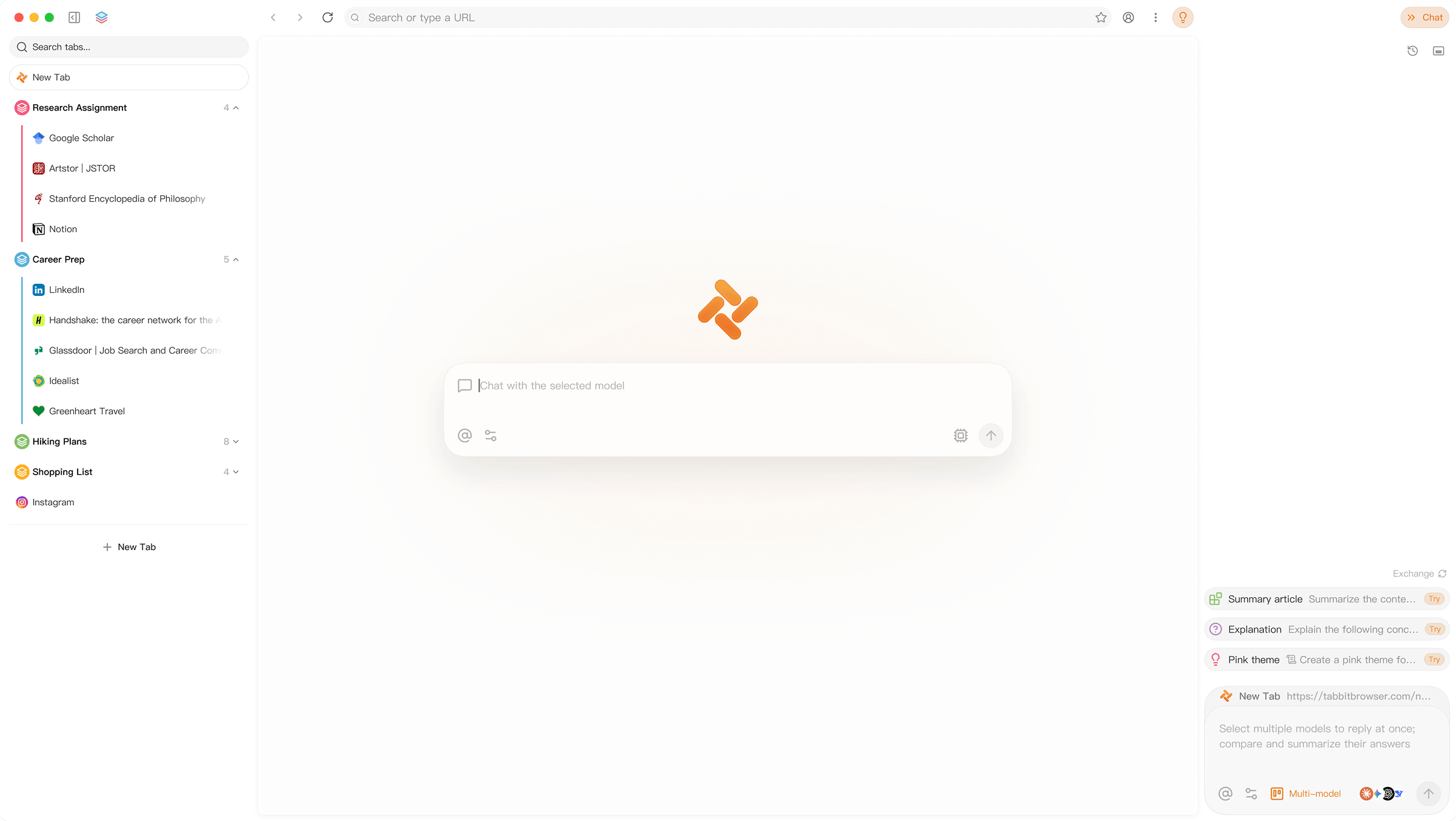
The Agentic AI Browser
Tabbit
Tabs think. Sites wake. Your Web
Apple icon
macOS
Apple Silicon
Apple icon
macOS
Intel
Windows icon
Windows
Tabbit Homepage
Context
Not just tabs
PDFs, bookmarks, HTML elements, tab graves. Every bit on your desktop.
Whatever you bring in
Pages
Screenshots
Highlights
Local files
What Tabbit harnesses
Site MCPs
Skills
Top models
Agent Memory
Roast my GitHub README
@ anything
A tab, a file, a screenshot, the element you just highlighted — drop it in. The agent reads, plans, runs.
Multi-agent, now with skills
Research reads papers. Operator runs crawlers. Writer drafts. Analyst crunches data. Each loaded with the right Skills.
Every SOTA model. Day one.
GPT-5.5, Claude 4.7, Gemini 3.1 Pro, Grok 4.3, DeepSeek V4, Kimi K2.6, Qwen 3.6 — live in Tabbit within 12 hours of launch.
Launching Early June

Tabs get skills

2000 Agentic Skills - for top 100 sites daily use

Triage Feed
Skim 47 uploads. Surface the 3 worth your time, ranked by what you actually watched through.
utility
@feed-trim
Pod Highlights
Pull every quote, timestamp, and book reference from a 2-hour podcast into one doc.
utility
@longform-co
Real Comments
Find the substantive disagreements under any video. Skip the top-voted noise.
taste
@discourse-mine
Save to KB
Drop a video into Notion / Obsidian with TLDR + full transcript.
utility
@kb-drop
HD Download + Subs
Pull a Bilibili video in HD, with chapters and subtitle file. One click, no watermark.
utility
@bili-hd
Live Translate
Auto-translate Bilibili subtitles to English while you watch. No third-party extension.
utility
@cc-bridge
Highlight Reel
Auto-cut a 2-hour stream into a 5-minute reel. Keeps the bits worth showing your group chat.
taste
@stream-keeper
Real Bullet-Comments
Filter the danmaku noise. Surface comments with substance, ranked by length and relevance.
taste
@danmaku-mine
MD Memory
Export every ChatGPT conversation as Markdown into your own memory store. You own the file, not OpenAI.
utility
@md-keep
Cross-Thread Search
Search across all your past threads. Find that one prompt from 4 months ago in 2 seconds.
utility
@chat-grep
Auto Folder
Sort threads into folders by detected topic. No more 200-thread sidebar mess.
utility
@thread-tidy
Prompt → Skill
Turn a recurring power prompt into a Tabbit Skill. Hit / instead of pasting it again.
taste
@prompt-pin
Daily Digest
All your subscriptions, deduped, summarized. One read instead of twelve.
utility
@inbox-zero
Ask History
What did Ben Thompson say about Atlas in March? — answered from your reading cache.
utility
@read-cache
Voice Map
Read the top 10 authors in your space side-by-side. AI maps their voice signatures.
taste
@signal-tone
Cross-Pub Pulse
What is everyone in your inbox saying about [X] this week? One synthesis card.
taste
@news-cross
Save Anywhere
arXiv, Nature, PubMed — save any paper in one click. Full PDF + metadata.
utility
@paper-pin
Stay-Current Feed
SVM-ranked daily arXiv listings, based on what you have actually read.
utility
@arxiv-flow
Extract Tables
Pull every table from a PDF as TSV. Across multiple papers in one shot.
utility
@paper-flow
Library Q&A
Ask questions across every paper you have saved. Cited answers, no hallucination.
utility
@lib-ask
Cross-DB Search
PubMed + bioRxiv + medRxiv — one query, deduped union, with Semantic Scholar TLDRs.
utility
@med-union
Find Free PDF
PMC > Unpaywall > preprint cascade. Logs which step succeeded for transparent audit.
utility
@pdf-cascade
PRISMA Tracker
Systematic-review-grade tracking: found / screened / eligible counts auto-tallied.
utility
@med-review
Steel-man Thread
Find the 5 actual load-bearing disagreements under 200 comments. Skip the noise.
taste
@discourse-mine
Sentiment Heatmap
Visualize emotional flow across a long thread. Spot where consensus breaks.
utility
@thread-flow
Save Best Takes
Mark and export the comments worth keeping. Clean Markdown out, no boilerplate.
utility
@save-pure
Explain PR
47-file PR? Tabbit reads the diff and explains in plain English — repo-aware.
utility
@pr-read
Risk Analysis
Find breaking changes the test suite missed. Flags rate-limit / cache paths.
utility
@ship-safe
Test Gap Finder
List what code paths are not tested before merge. Maps to file:line.
utility
@gap-find
Owed Replies
Threads where someone is waiting on you, ranked by overdue. One screen, no inbox theater.
utility
@owe-track
Subscription Audit
Auto-detect every paid sub from email receipts. Mark unused ones for cancel.
utility
@sub-audit
Bulk Unsubscribe
Unsubscribe from N marketing lists in one batch. Skips the dark-pattern flows.
utility
@bye-list
I'm a Skill Creator
Built a skill? We'd love to hear from you.
Privacy

Your data stays yours

The web shouldn't take more than it needs. Tabbit keeps highlights, chats, and saved pages on your machine. That's not a feature — it's the principle.

Selling your data
Training on your reads
Deciding what you see
In their words

Your Agentic Web

107,763 users across 20+ countries trust and made it their own.

Creating a podcast requires me to sift through nearly a million words of content before each episode. The tasks of collecting, classifying, recording, and integrating all this information can be quite overwhelming. Tabbit is currently my most effective solution.

Liu FeiPodcast host, Half Latte

Tabbit has become my default browser. I highly recommend Tabbit. While using the Tabbit browser, you can call upon the AI anytime, anywhere to assist you with your tasks.

Digital Life KassadinCEO, VR Media

Since I started using Tabbit, web pages have become increasingly clear, especially with its smart organization and word explanation features, which instantly simplify complex content.

Sam CarterIndependent AI creator

Tabbit is my default browser, as well as my companion for creation and work. What I like most about Tabbit is its intelligent tab organization, writing assistant, and clever tricks, which make reading, creating, and outputting a seamless experience.

Chi JianqiangFounder, Mowen

After Chrome, this is the first product that made me consider changing my default browser settings. Especially given the rapid iteration of AI on a daily basis, Tabbit's ability to process tab information a second time is certainly not just a niche demand.

LanxiTech blogger

This is, without a doubt, the best browser I've encountered among all AI-native browsers when it comes to integrating artificial intelligence capabilities.

Yang MinghuiFounder, Bodhi Cat
FAQ

Questions you might ask

Is Tabbit really free?
Yes. The browser is free. Every model in the picker is free, with no daily quota. There's no upsell tier hidden behind a paywall.
Which AI models can I use?
GPT-5.5, Claude 4.7, Gemini 3.1 Pro, Grok 4.3, DeepSeek V4, Kimi K2.6, Doubao Seed 1.9, Qwen 3.6, GLM 5.2, MiniMax M2.8. We add new ones within a week of release. Switch mid-conversation; Tabbit keeps the context.
What platforms does Tabbit run on?
macOS 12+ (Apple Silicon and Intel) and Windows 10+. Linux and mobile are on the roadmap.
Where does my prompt go when I use a model?
Your prompt goes only to the model provider you picked.

For every model — DeepSeek, Kimi, Doubao, Qwen, Claude, GPT, Gemini, Grok — Tabbit routes to compliant servers in Singapore or in your region, operated by the model vendor or by their cloud partners. Region selection follows local regulatory rules.

The model name is always shown at the top of the chat, so you can verify which provider and which region your prompt goes to. Tabbit itself (Lumina Lab, registered in Singapore) doesn't relay, log, or mirror your conversations.
How does Tabbit handle my data?
Tabbit is built by Lumina Lab, an entity registered in Singapore.

Inside the browser — history, bookmarks, highlights, and chats are encrypted on your device. If you turn on sync, they go to compliant cloud providers based in Singapore or in your region.

Outside the browser — anything sent to a model or to a cloud service (e.g. context required by the model you pick) is stored by the cloud and model partners we work with, chosen to meet each region's regulatory rules.

We don't sell, train on, or share your data with anyone outside this chain.
How do updates work?
Tabbit updates in the background, like Chrome. You'll get a small notification when a new version is ready — restart whenever you want.
What if Tabbit crashes?
Open Help → Send a Crash Report, or email support@tabbitbrowser.com. Crash reports are anonymous unless you add a note. We typically push a fix within 48 hours.

Tabbit does the boring stuff. You go do what only you can.

Apple icon
macOS
Apple Silicon
Apple icon
macOS
Intel
Windows icon
Windows

Bring everything from Safari, Edge, or Chrome.

History, bookmarks, extensions, settings — all carried over in one click.
Safari
Edge
Chrome